Feeling Stressed Managing Your Brand's Facebook Group? Here’s How Automation Can Help
Do you often find yourself staying up late, approving new members, sorting through hundreds of comments, and trying to keep your group active - all while it keeps growing bigger?
If that sounds like you, don’t worry you’re not the only one.
Running a Facebook group can quickly turn into a full-time job, especially when your community keeps expanding. It can get overwhelming to handle everything by yourself.
The great news is that automation tools can turn this hard work into something much easier and faster. With the right Facebook Group Management tools, you can stop wasting time on repetitive tasks and focus on building a better experience for your group members.
This guide will introduce you to the 8 best Facebook group management tools that will help you simplify your work, save valuable time, and boost your group’s engagement without extra effort.
Why Facebook Group Management Tools Matter
The Current Landscape
A Facebook group is still one of the strongest ways to build a community online. By early 2025, more than 1.8 billion people will be active in Facebook Groups every month. These groups cover all kinds of interests, business, hobbies, support networks, learning, and professional connections.
But as your group grows, managing it by hand takes a lot of time and effort. Even small groups can eat up many hours every week because you have to constantly:
📌 Approve new members – Go through requests, check their answers, and decide who can join.
📌 Moderate posts – Remove spam, off-topic content, or posts that don’t follow the group rules.
📌 Engage members – Answer the same questions over and over and welcome new people.
Benefits of Facebook Group Management Tools
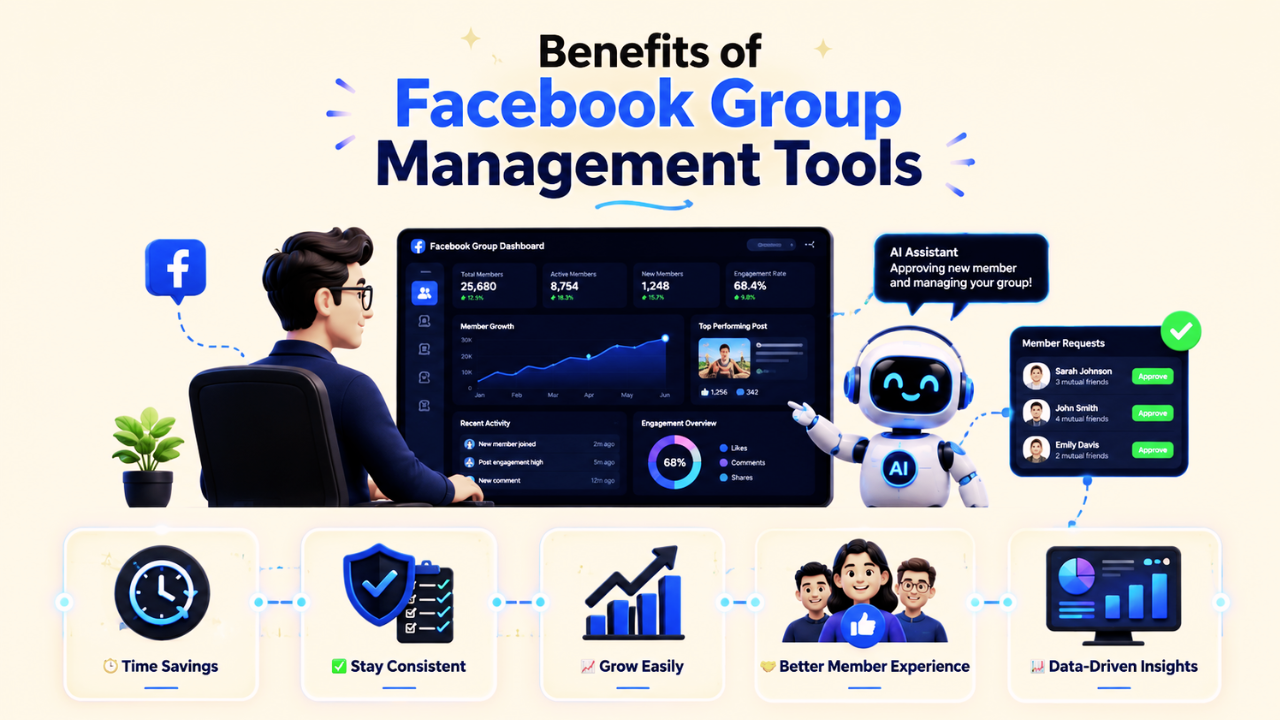
A. Time Savings
- Instead of doing everything manually, Facebook group management tools can handle tasks like scheduling posts or approving members automatically. This can save you 5 to 10 hours every week.
- You don't have to work every day because tools like GRUPSTER and MeetEdgar allow you to schedule posts in advance.
B. Stay Consistent
- Automation ensures that posts go live on time, responses are uniform, and moderation rules are enforced without bias.
- For example, keyword filters automatically block inappropriate or off-topic posts, keeping the Facebook group clean and focused.
C. Grow Easily
- As your group grows from hundreds to tens of thousands of members, automation allows the workload to stay manageable.
- Instead of scaling your time investment, the system adjusts itself with little extra work.
D. Improve Member Experience
- Faster member approvals, automatic welcome messages, and clear group rules make the group feel professional and more welcoming.
- This encourages members to remain in groups, fostering an active and engaged environment.
E. Data-Driven Insights
- Access to analytics helps track engagement trends, top-performing posts, and member demographics, supporting data-backed decisions.
ROI Considerations
Although many Facebook group management tools charge between $10 and $50 per month or year, their real worth is in the time and effort they save you.
A well-organized group keeps more members active, strengthens your brand’s reputation, and creates chances to earn money, making the group a valuable resource.
Key Features to Look For in a Facebook Group Management Tool
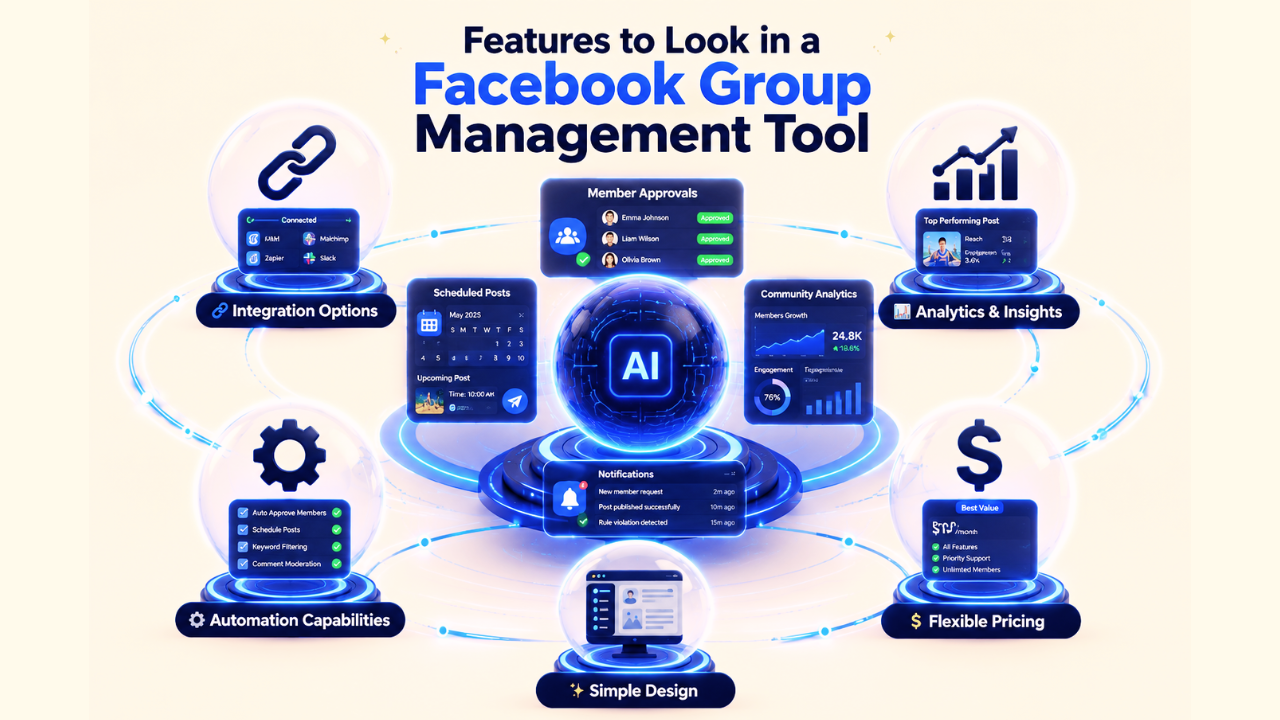
There are many factors to consider when assessing Facebook group management tools, but you can give priority to these essential elements:
➕ Integration Options
With the seamless integration with CRM systems, email marketing platforms, and other business tools amplifies your automation benefits. This connectivity enables sophisticated lead nurturing and customer journey mapping.
➕ Analytics and Insights
Good Facebook group management tools provide clear reports about how members interact, which posts perform best, how fast your group is growing, and the overall health of your community. These insights help you make smarter, fact-based decisions to improve your group.
➕ Automation Capabilities
Look for tools that can automatically schedule posts, approve new members, filter unwanted keywords, and moderate comments. The best ones let you set rules based on your group’s needs, saving you tons of time.
For instance, Grupster manages browser tasks for marketing and automatically rewrites messages using five AI models.
➕ Simple and Intuitive Design
A powerful Facebook group management tool should be easy to use. Choose one with a clear dashboard, simple menus, and helpful customer support, so you don’t waste time figuring it out.
➕ Flexible Pricing
Choose tools that scale with your community growth. Many platforms offer tiered pricing that grows with your needs, preventing you from outgrowing your chosen solution.
The 8 Best Facebook Group Management Tools
1. GRUPSTER

An all-in-one Facebook group management tool called GRUPSTER was created to make community automation easier. It is notable for automatically curating content and monitoring member behavior, which streamlines group management.
Instead of spending hours posting manually to multiple groups, GRUPSTER saves time by automating this entire process. This makes it easier for marketers and group owners to grow their reach without burning out.
Key Features
- Smart member approval with custom screening questions
- Automated post scheduling with best-time suggestions
- Real-time keyword tracking and content filtering
Pros
✅ Clean and easy-to-use interface
✅ Helpful customer support
✅ Strong automation features
✅ In-depth reporting and analytics
Cons
🚨 Fewer integration options with other platforms
🚨 Some advanced tools may take time to learn
2. GroupBoss

A lead generation solution called GroupBoss was created especially for Facebook group owners. It gathers responses to group joining questions automatically and sends them to your email marketing program. Recognized as one of the most cost-effective automation solutions for Facebook group management.
Key Features:
- Smart post scheduling based on when your audience is most active
- Keyword detection for moderating comments and sending auto-replies.
Pros
✅ Strong lead generation tools
✅ Simple and user-friendly interface
✅ Dependable automation features
Cons
🚨 Limited advanced reporting and analytics
🚨 Fewer customization options compared to premium tools
Best For:
- Small to mid-sized communities (1,000–10,000 members)
- Group admins focused on collecting leads and running basic automation
3. Group Leads

Group Leads is a handy Chrome extension designed to turn new Facebook group members into qualified leads. This makes it a powerful option for lead generation while still keeping your community active and engaged.
Key Features:
- Lead generation from postings and group interactions that is automated
- Enhanced member profiling and segmentation
- Making unique landing pages for campaigns targeted at particular groups
Pros
✅ Great lead generation tools
✅ Smooth integration with email marketing software
✅ Strong analytics for tracking conversions
Cons
🚨 Setup may take some time to learn.
🚨 Limited features for overall group management outside lead generation.
Best Suited For:
- Business Facebook group management focused on capturing leads and building sales funnels.
4. MeetEdgar

You can easily generate, plan, and automate content with MeetEdgar, an AI-powered social media management platform.
Recycling evergreen posts is its greatest strength; it keeps your group feed lively without requiring additional work. For Facebook group administrators who depend on consistent posting, this makes it quite helpful.
Key Features:
- Smart content categories with automatic recycling
- Best-time posting suggestions based on group insights
- Content variation options to avoid repetition
Pros
✅ Excellent evergreen content recycling
✅ Strong scheduling and timing optimization
✅ Works well across different platforms
Cons
🚨More focused on scheduling than full group management
Best For:
- Content-heavy groups that need consistent posting and variety
5. Buffer

A popular and easy-to-use social media program for scheduling posts is called Buffer. Facebook group management is supported, which makes it a dependable choice for group administrators seeking simple solutions, even though it is most well-known for general social media management.
Key Features:
- Easy post scheduling for multiple Facebook groups
- Basic analytics to track performance
- Creative content calendar with team collaboration options
Pros
✅ Strong mobile app support
✅ Very straightforward to operate.
✅ Great for beginners.
Cons
🚨 Limited group-specific features
🚨 Basic automation compared to advanced tools
Best Suited For
- Small groups and beginners who want a simple, affordable scheduling tool
6. Planable

Especially for teams running Facebook groups, Planable is an excellent tool for collaborative content preparation. Its visual calendar, which allows you to view all scheduled postings at once, facilitates teamwork and focuses on efficient approval operations.
It offers a visual calendar to see all your scheduled posts.
Key Features:
- Calendar of visual content with integrated approval procedures
- Real-time tools for feedback and cooperation
- Optimal scheduling with suggested publishing times
Pros
✅ Strong collaboration and teamwork features
✅ Reliable approval workflow system
Cons
🚨 Limited automation outside scheduling
🚨 Fewer features designed specifically for Facebook groups
Best Suited For
- Teams and agencies that manage Facebook groups together and need streamlined approval processes
7. NapoleonCat

With robust functionality for Facebook group automation and monitoring, NapoleonCat is a comprehensive social media management solution. Experienced users who require sophisticated tools to manage scheduling, moderation, and interaction may find it very helpful.
Key Features:
- Advanced comment monitoring and auto-moderation across multiple groups
- Automated response systems with customizable triggers
- Customer service integration
Pros
✅ Powerful moderation tools
✅ Strong customer service support
✅ Detailed analytics and reporting
Cons
🚨 Higher cost for advanced plans and complex for smaller groups
Best Suited For
- Large groups and businesses that need professional-level moderation and customer service integration
8. AdPlify

Designed specifically for Facebook advertisers, AdPlify is a multipurpose toolbox that can help you boost reach, lower ad expenditures, and improve conversions.
While its main focus is advertising, it also provides useful tools for managing Facebook groups, making it a good choice for community-driven marketing.
Key Features:
- Automated ad optimization for Facebook group audiences
- Hidden audience finder for more precise targeting
- Real-time tracking of campaign performance from group leads
Pros
✅ Great for monetizing groups through ads.
✅ Detailed audience insights and analysis
✅ Affordable yearly pricing
✅ Cloud-based, accessible from anywhere
Cons
🚨 More focused on ads than overall group management
🚨 The learning curve can be tough for beginners in marketing
Best Suited For
- Business groups and communities that want to earn from their audience through advanced Facebook ad campaigns and lead generation.
Comparison Table of the Top 10 Tools

How to Choose the Right Tool for Your Group
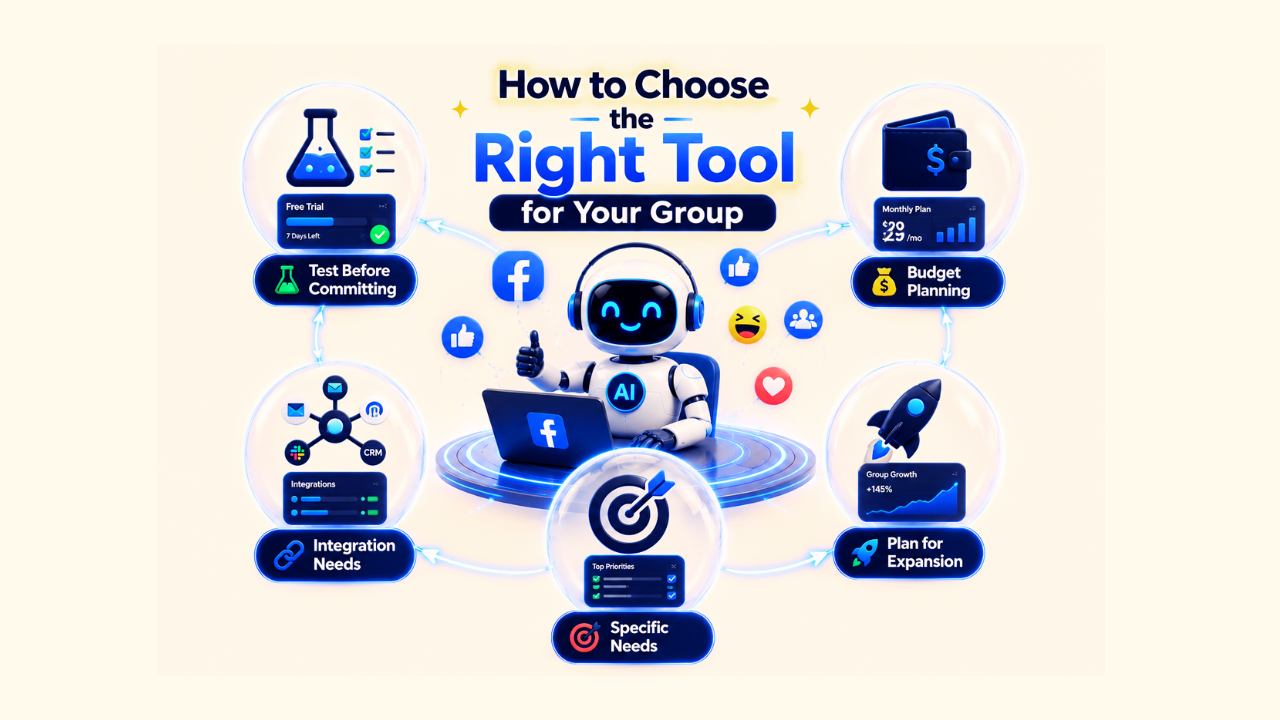
A. Test Before Committing
Most good tools provide free trials or money-back guarantees. Use these offers to test how well the tool works with your group before making a long-term decision. Pay attention to how easy the dashboard feels and how responsive the customer support team is during the trial.
B. Assess Your Budget Realistically
From entry-level subscriptions that are reasonably priced to more complex packages that cost hundreds of dollars a month, Facebook group management tools are available in all price ranges.
Consider the return on investment and your budget. Keep in mind that saving time also saves money, particularly if you already have someone to handle your social media accounts.
C. Evaluate Integration Requirements
Make sure the tool fits smoothly with the systems you already use. If you rely on CRM software, email marketing platforms, or analytics tools, go for an option that offers direct integrations instead of forcing manual workarounds.
D. Consider Your Specific Needs
Start by listing your main struggles. Do you find it hard to approve new members, schedule posts consistently, moderate comments, or capture leads? Different tools are stronger in different areas.
Grupster, for example, can manage automated posting, group records, and even content rewriting.
E. Plan for Expansion
Pick a tool that grows with your community. A solution that works for a group of 1,000 may not handle 10,000+ members effectively. Look for upgrade options and advanced features at higher levels so you don’t need to switch platforms later.
Conclusion
Managing a Facebook group doesn’t have to feel overwhelming. With the right group management tools, what once took hours can now be done in minutes, giving you more time to focus on building real connections and growing your community.
Think about it: no more late-night member approvals or sorting through endless spam posts. Instead, your group runs smoothly with automation, members get quicker responses, and conversations stay active without burning you out.
And if you’re wondering where to start, Grupster is a game-changer.
With its AI-powered moderation and smart automation features, it helps admins of small- to mid-sized groups cut down wasted time while keeping the community healthy and spam-free.
Remember: the best tool is the one that actually fits YOUR group’s needs. Start small, experiment, and keep optimizing. Your future self (and your community) will thank you.
FAQs About Facebook Group Management Tools
Q: Are Facebook group management tools safe to use?
A: Yes, reputable tools comply with Facebook's API guidelines and terms of service. However, always verify that your chosen tool is officially approved and regularly updated to maintain compliance.
Q: Can these tools get my Facebook group banned?
A: When used properly, quality management tools reduce the risk of policy violations by maintaining consistent moderation standards. However, avoid tools that promise to circumvent Facebook's guidelines or engage in spam-like behaviors.
Q: Do I need technical skills to use these tools?
A: Most modern tools are designed for non-technical users with intuitive interfaces and setup guides. While some advanced features may require learning, basic automation can typically be implemented within hours.
Q: Can I use multiple tools simultaneously?
A: Yes, many administrators use complementary tools for different functions. For example, you might use Grupster for scheduling and GroupBoss for lead generation. Ensure no feature overlap could cause conflicts.
Q: How quickly will I see results from automation?
A: Basic time savings are immediate, but community engagement improvements typically become apparent within 2-4 weeks as consistent automation creates better member experiences.